As you work through this recap, you may wish to take notes in your black graph paper notebook.
Aim to understand and recall rather than rush to complete this recap as soon as you can.
TIP
Do not hesitate to ask questions. We are here to learn! ✅
Describing Data
Variables vs. Constants
A variable or a constant can store a single piece of information.
Use a variable when the information to be stored may change over time:
var age = 16Use a constant when the information, once stored, will never change while your app runs:
let accelerationDueToGravity = 9.8Data Types
Information that is stored always has a data type. Common data types in the Swift programming language are:
| Data Type | Example | Description |
|---|---|---|
String | "Hello world!" | Text (words, sentences, paragraphs) |
Int | -27, 0, 5 | An integer value |
Float | -2.311, 0.3, 5.191231 | 32-bit floating point value |
Double | -5.213412324, 3.141592653589793 | 64-bit floating point value, provides more precision than a Float, default type for non-integer values in Swift |
Bool | true or false | Either of these two values |
TIP
Optionally, read more about the difference between the Float and Double data types.
When a variable or constant is created, the data type can be inferred or guessed at by the Swift programming language compiler. This is called type inference.
QUESTION
What data type would be inferred for the
agevariable declared earlier?What data type would be inferred for the
accelerationDueToGravityconstant declared earlier?
Structures
To describe truly useful information individual variables and constants do not cover our needs.
Think of a group of dogs:

To describe dogs in general, we might want to keep track of information such as:
- breed
- color
- height
- length
- mass
… along with many other possible attributes.
This would be unwieldy using separate individual variables.
Instead, we define a structure to group related variables and constants.
For example, we might begin with this:
struct Dog {
    let breed: String
    let color: String
    var heightInMetres: Double
}
The name of the structure is Dog and it has three properties:
- a constant named
breed - a constant named
color - a variable named
heightInMetres
We use type annotation to describe the data type of each property:
breedis aStringcoloris aStringheightInMetresis aDouble.
TIP
It is customary for the name of a structure to always be singular, not plural.
To describe specific dogs we in turn create instances of the type we have defined. For example:
var dogAtLeft = Dog(
	breed: "English Bulldog",
	color: "Light brown, some white.",
	heightInMetres: 0.457
)

var dogInMiddle = Dog(
	breed: "German Shepherd",
	color: "Black and dark brown.",
	heightInMetres: 0.753
)
We can create as many instances of the Dog data type as we want.
Each instance of the Dog data type corresponds to an actual physical dog.
QUESTION
In the Finder on your Mac, create a folder named
Thread1Recap. In Xcode, create a new macOS playground namedThread1Recapand save it in the folder you just created. Finally, create a local repository for source control and then a remote on GitHub.Here’s how to do all of those steps above, as a short animation.
As you complete tasks in this recap, please remember to commit and push your work regularly.
Now complete the
Dogstructure described earlier. Add properties to store the length and mass. Choose appropriate names (consider units) and data types.Extend the
Dogstucture. What additional attributes of a dog might it be useful to keep track of? Add properties to your structure to account for those additional attributes.
Computed properties
Consider the initial Dog structure described earlier:
struct Dog {
    let breed: String
    let color: String
    var heightInMetres: Double
}
Each of the three properties shown are stored properties.
When an instance of the Dog structure is created, we must provide initial values for each stored property:
var dogAtLeft = Dog(
	breed: "English Bulldog",
	color: "Light brown, some white.",
	heightInMetres: 0.457
)
However, it is sometimes useful to compute new information using existing information kept within an instance of a structure.
For example, while it was convenient to describe a dog’s height in metres when creating a structure, somewhere else within an app we write, it might be helpful to show the dog’s height in centimetres.
This is best accomplished using a computed property, like so:
struct Dog {

    // MARK: Stored properties
    let breed: String
    let color: String
    var heightInMetres: Double

    // MARK: Computed properties
    var heightInCentimetres: Double {
        return heightInMetres * 100
    }

}
By using a computed property, we ensure that the same information is not repeated within the structure – it is not efficient to store the height twice (once in metres, once in centimetres).
Instead, we store the height once in metres, then compute the height in centimetres on demand.

Remember, D.R.Y. – don’t repeat yourself.
QUESTION
Add another computed property that returns the ratio of the length and height of a dog. For example, a dog with a length of 1.0 metres and a height of 0.5 metres would have a ratio of 2.0.
Write an entirely new structure named
Book. Think of attributes of a book that it would be useful to keep track of. Then create several instances of theBookstructure within your playground. TIP: If you consider the needs of a large bookstore, the dimensions of a physical book would actually be useful to track. What computed property could you add to your structure to help a large bookstore ensure they would have enough shelf space to hold multiple copies of that book?
Describing User Interfaces
SwiftUI
SwiftUI is the framework that “sits on top” of the core Swift programming language.
With SwiftUI, we use structures that conform to the View protocol to describe a user interface.
For example:
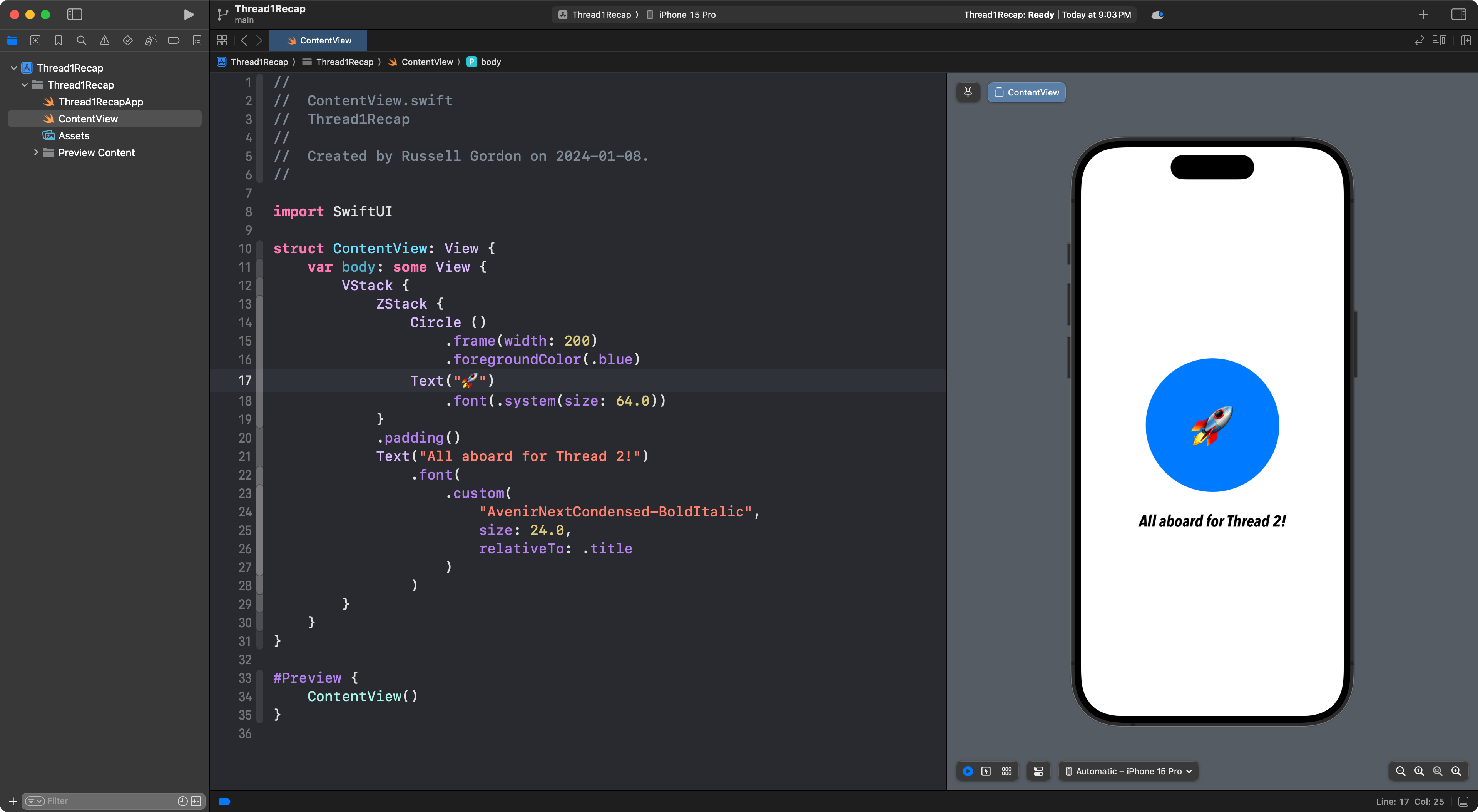
View modifiers are used to adjust the appearance of the user interface.
Remember that the SwiftUI Views Mastery book is a very important reference when authoring interfaces:
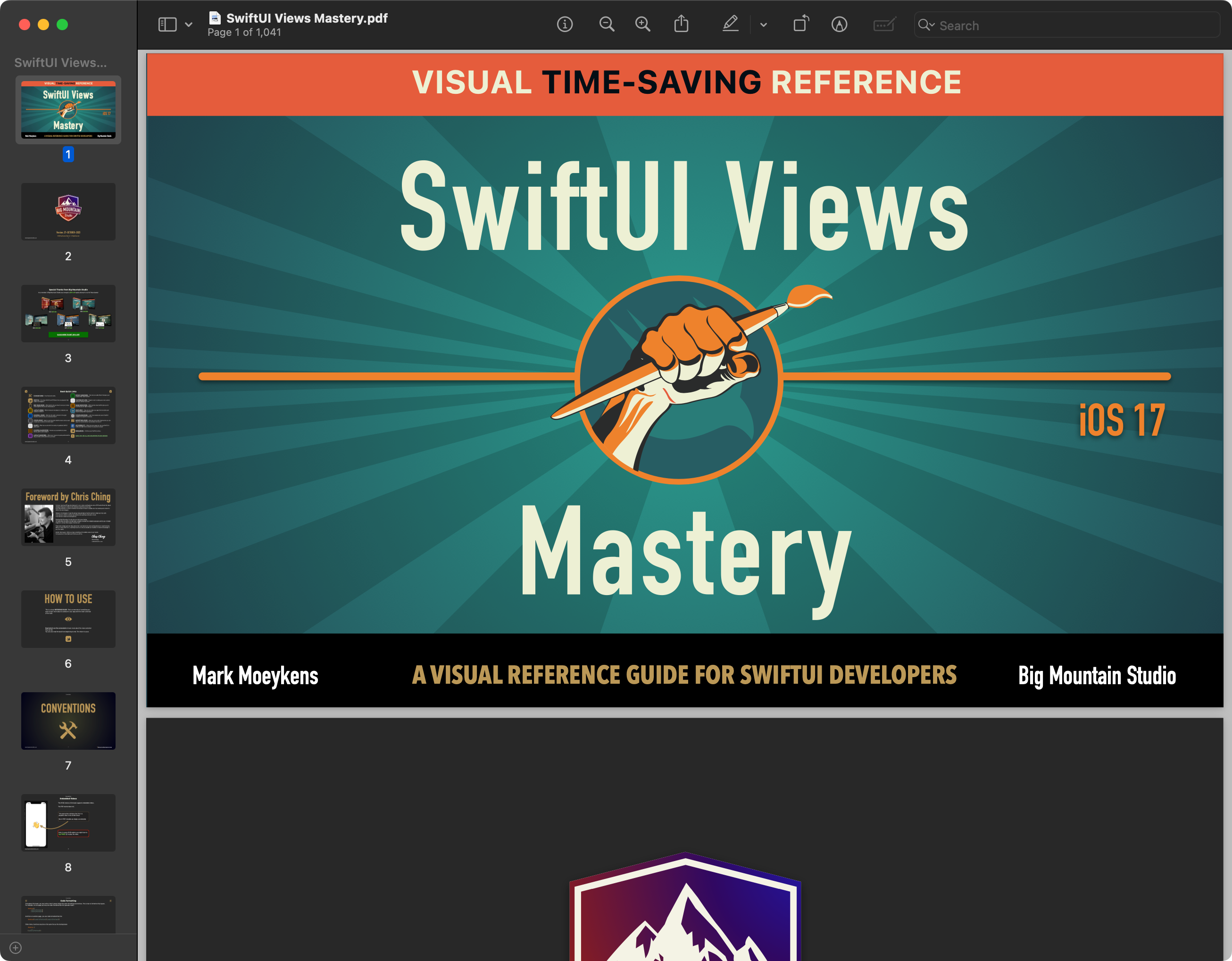
Be sure you have a copy of that book on your computer. If you do not, ask Mr. Gordon for assistance with downloading your copy from the publisher.
Now, work alone or with a partner to complete the final recap question below.
QUESTION
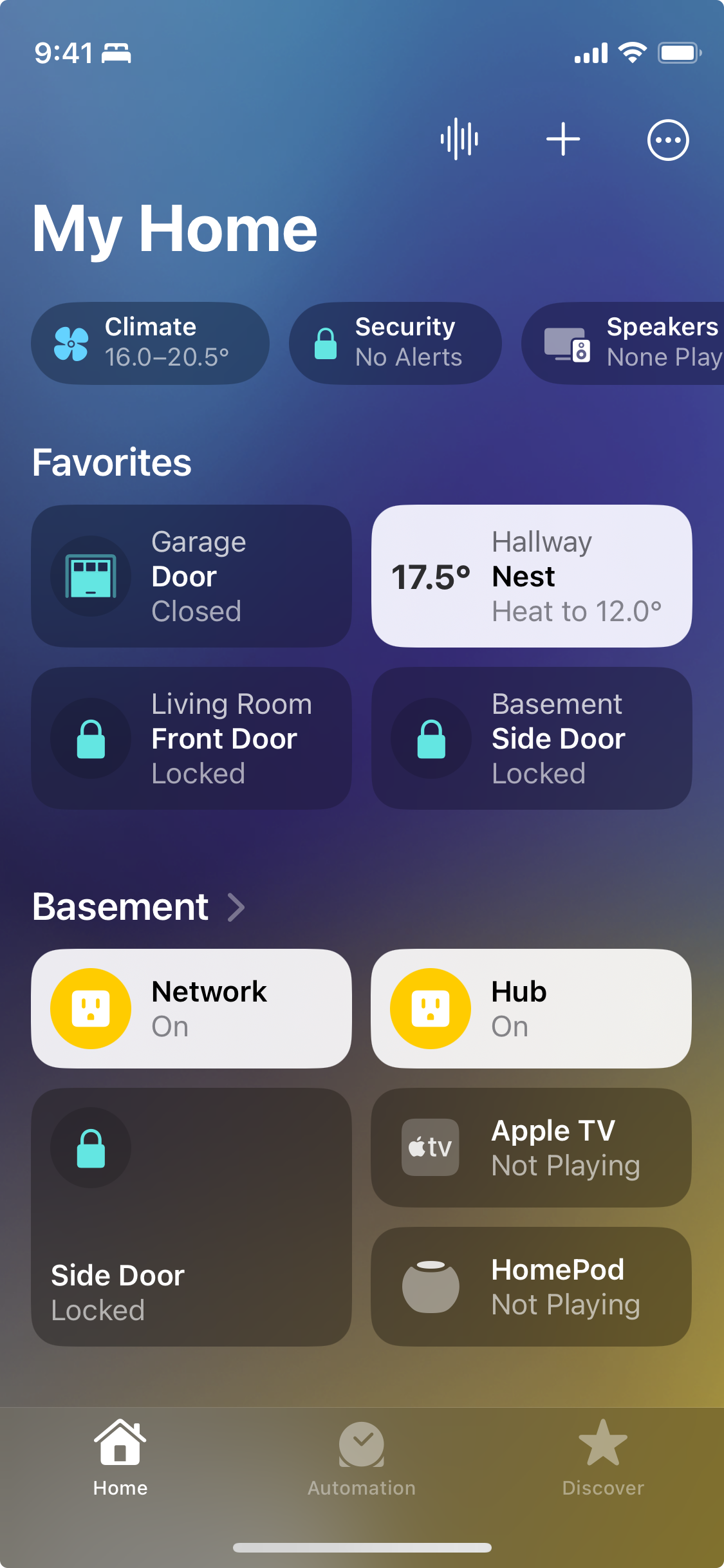
To review how to express layouts using SwiftUI, inside a new Xcode project named HomeApp, try to reproduce this interface:
Remember to commit and push your work to GitHub often.