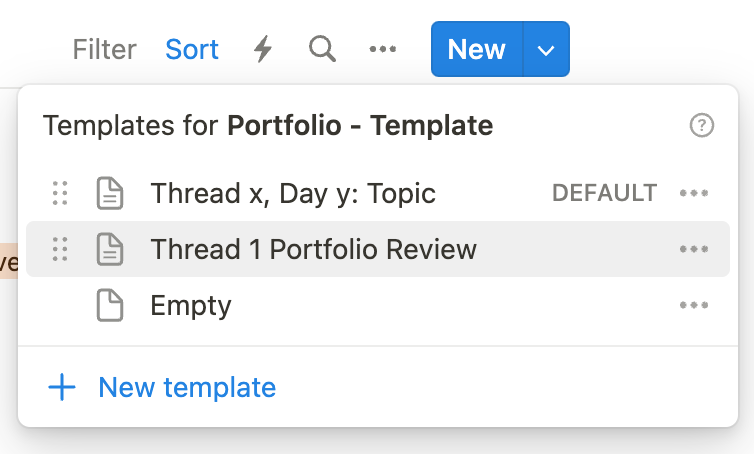
Use the template provided
When you author your review, be certain that you use the template provided:
Use links
The goal is not to copy, or reproduce, all the evidence you already have in your portfolio into the review page.
Instead, link to the evidence you have already spent time creating.
To make a link in Notion, just highlight some text, then press Command-K. Then search for the page that you want to link to within your portfolio.
If you have written longer portfolio entries, it’s very helpful to link directly to a specific heading or any block within a page. You can just click on a block, and choose Copy link to block. Then use that link in your portfolio review page.
Use two windows
When authoring your portfolio review, set up two Notion windows side-by-side.
This will make it easier to link to evidence already within your portfolio.
.png)