This lesson is really about value types and how they differ from reference types.
To explore this concept, please create a new Xcode playground named StructuresAndClasses.
Value types
What is a value type?
Let’s imagine that we all live on a Cartesian plane and our locations can be described by an ordered pair .
Now, have you ever seen this sweater around the Lakefield campus?

Thinking of that, please type the following into your new playground:
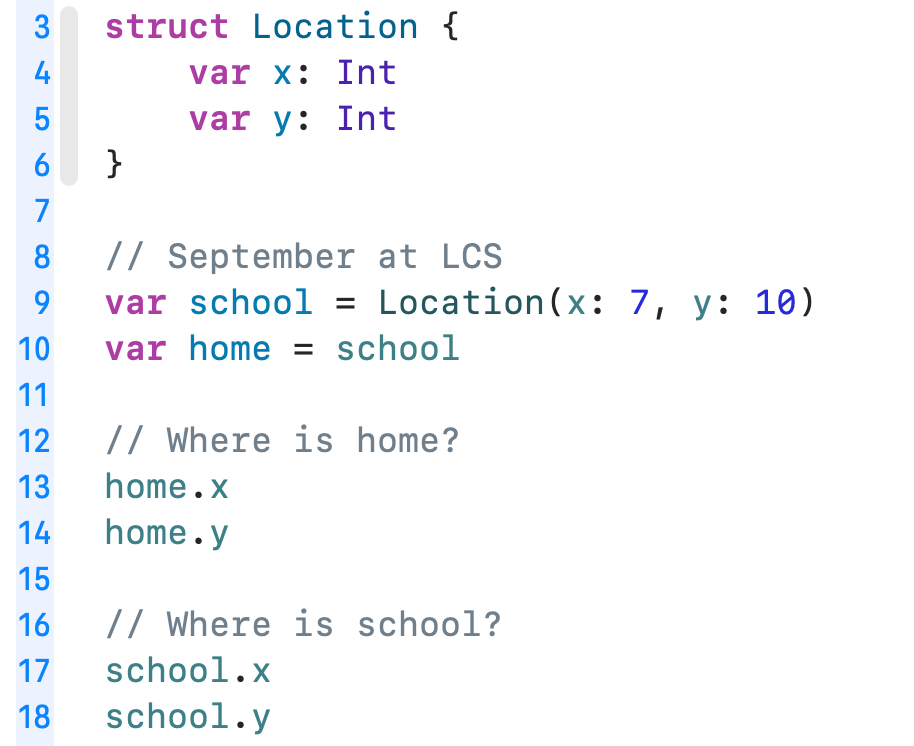
Run the playground using the Command-Shift-Return keyboard shortcut and review the results at right in the sidebar:
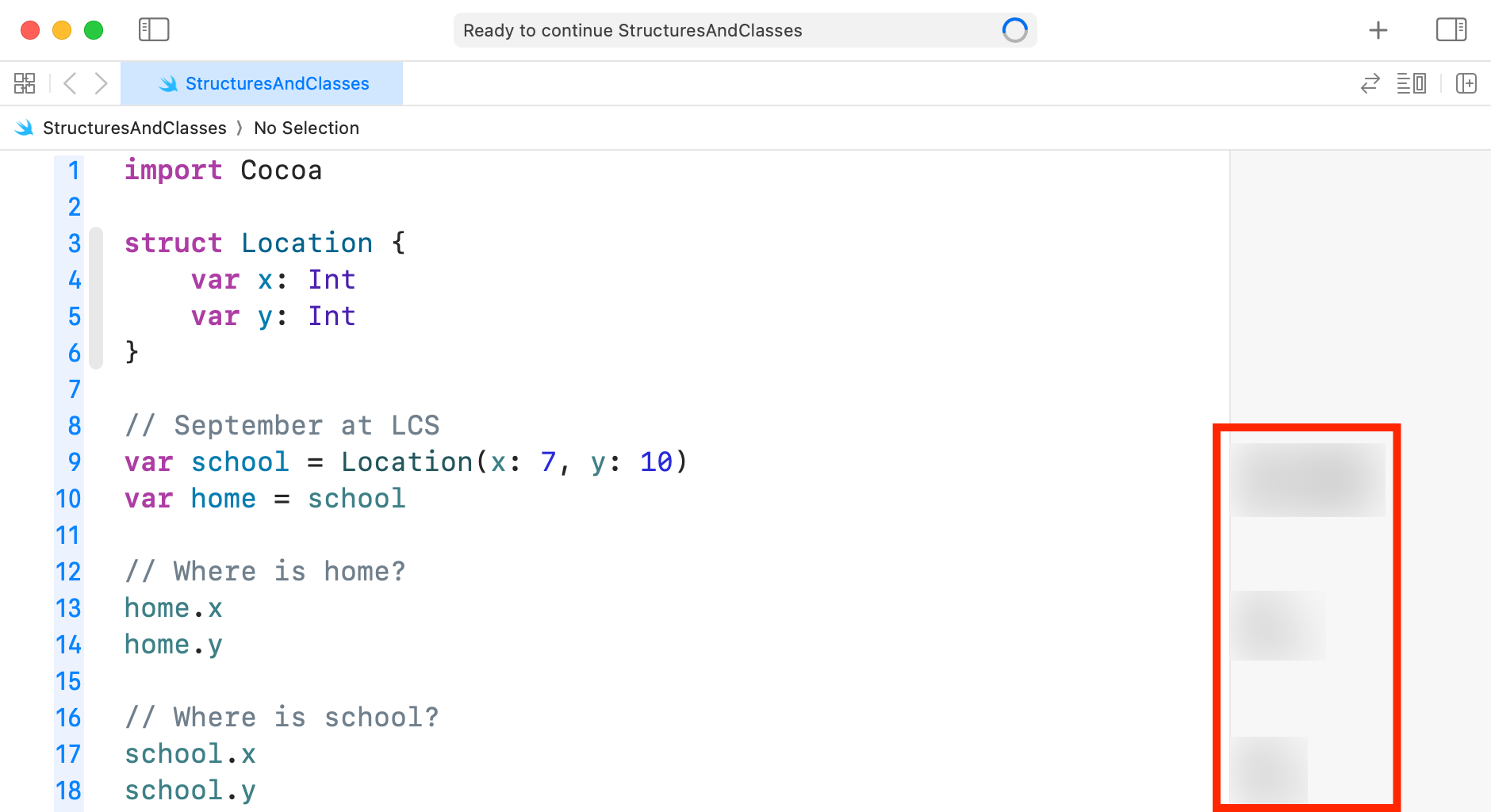
Are the values what you thought they would be?
Now add the following additional lines of code:
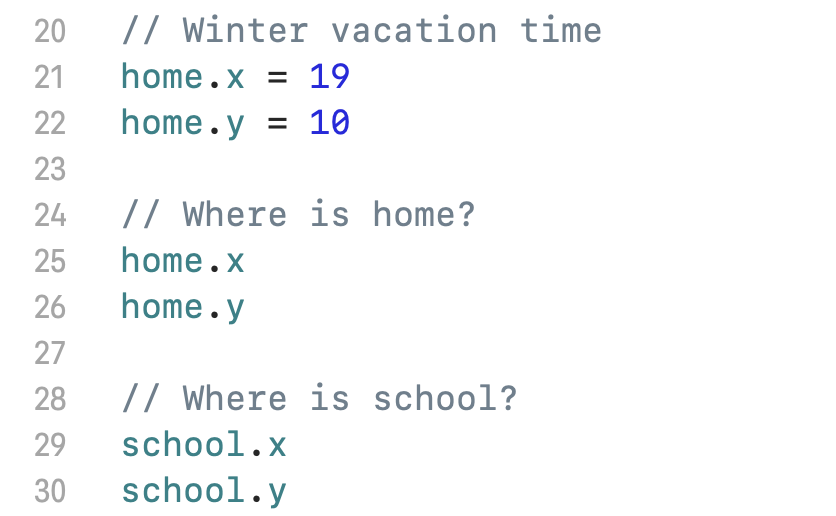
Then re-run the entire playground and inspect the results in the sidebar at right again:
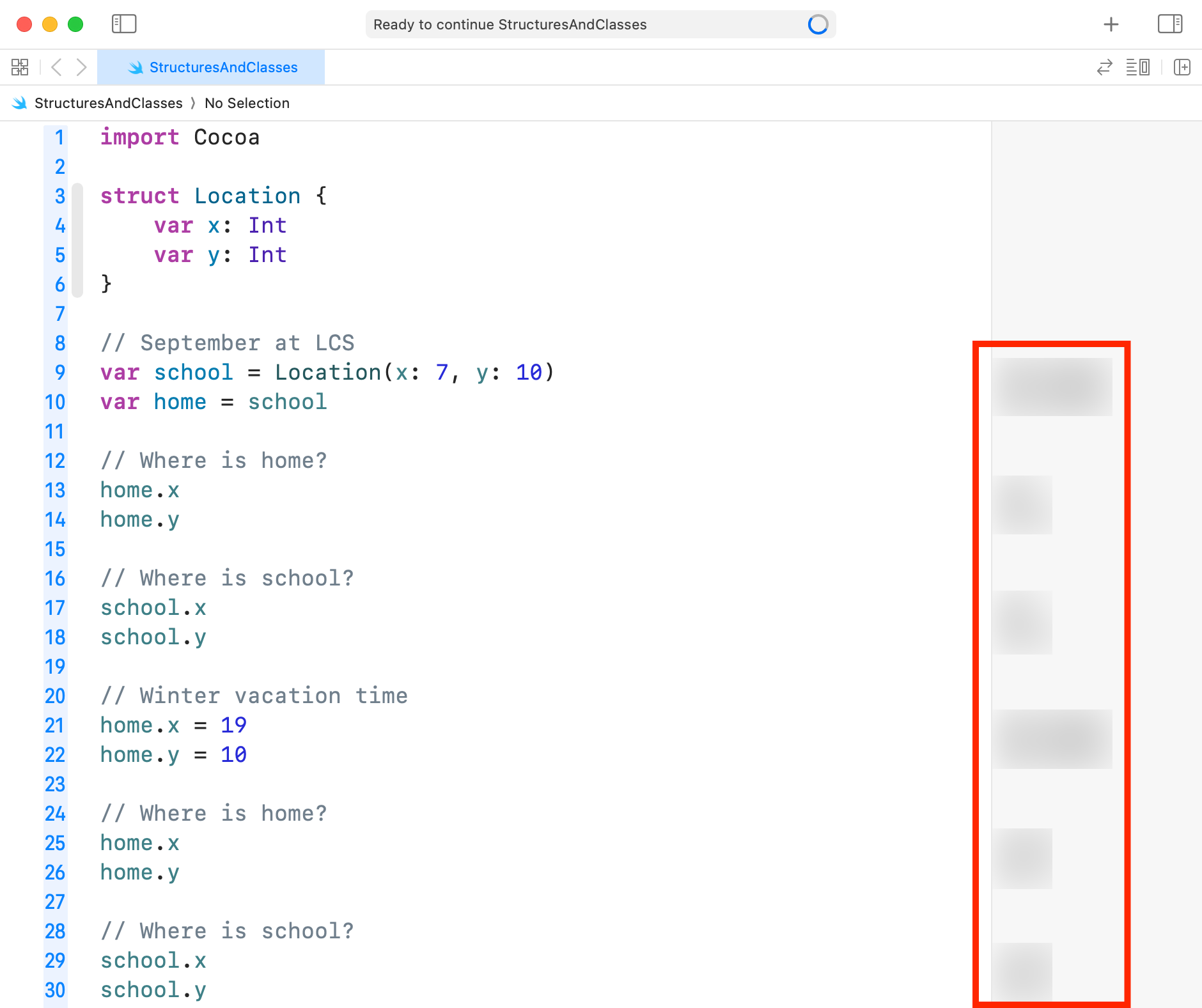
Are the values what you thought they would be?
Examine the code (probably on line 10 in your playground) carefully:
var home = schoolBased on the results you have seen when running the playground – what can you conclude about what happened when the home variable was created?
Reference types
Now, on line 3, change the struct keyword so that it says class instead:
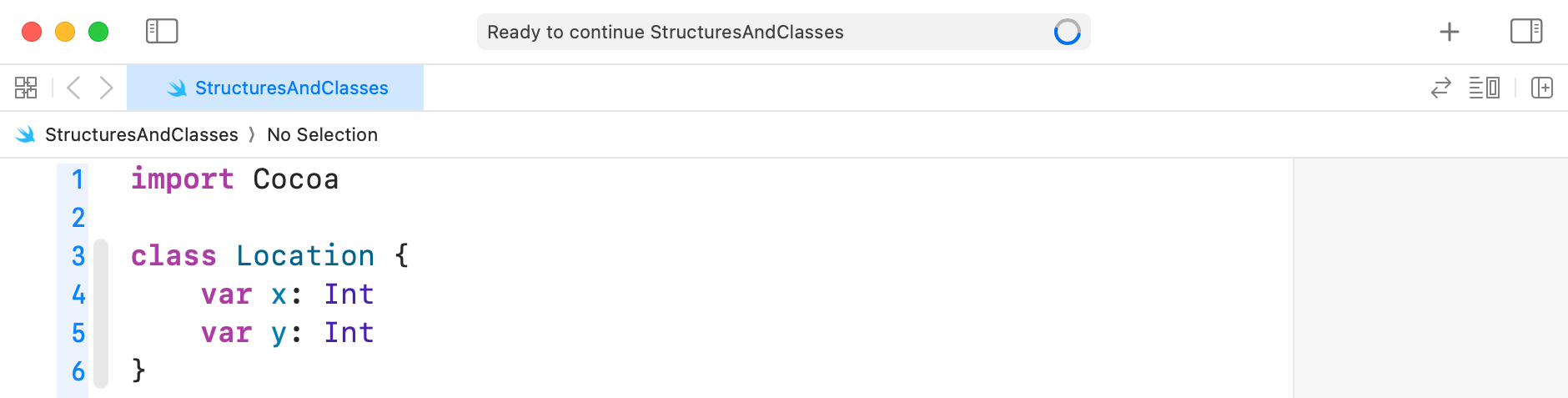
We are now definining a class named Location rather than a structure.
They are similar in most ways, but a class is a reference type, whereas a structure is a value type.
What does that mean? Let’s find out.
First, shortly after you made the change on line 3, Xcode presented an error message:
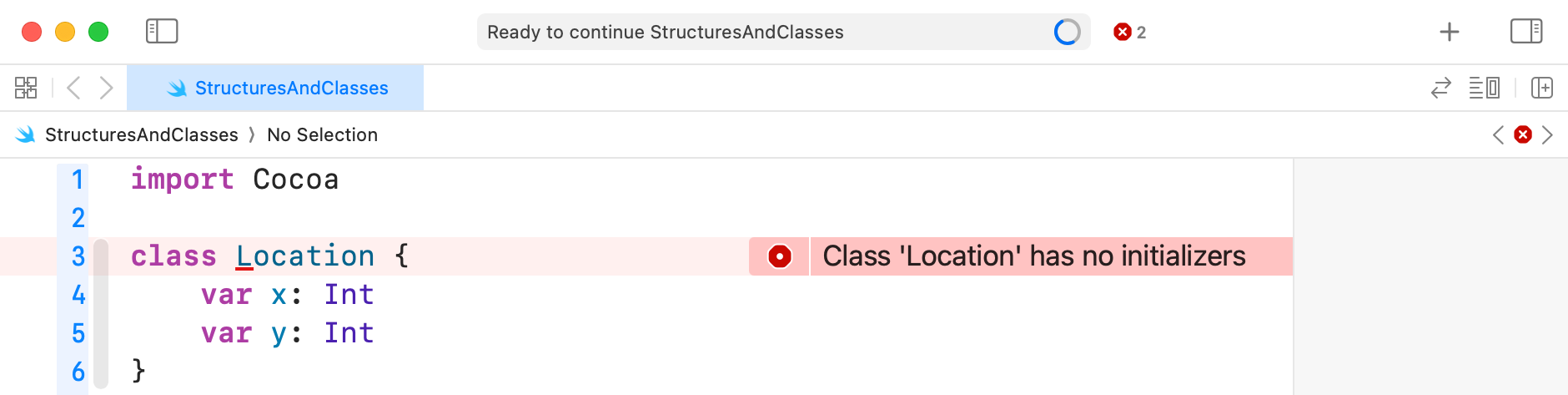
It is a requirement of the Swift compiler that a class be defined with a special function known as an initializer.
An initializer is used when an instance of a class is created, or initialized. The purpose of an initializer is to set the value of each stored property in the class.
Fortunately, we do not need to write the initializer for a class manually – Xcode will do it for us. Make edits to your code as follows:

How initializers work
When an instance of a class is created, the arguments for a given parameter are passed to the initializer:
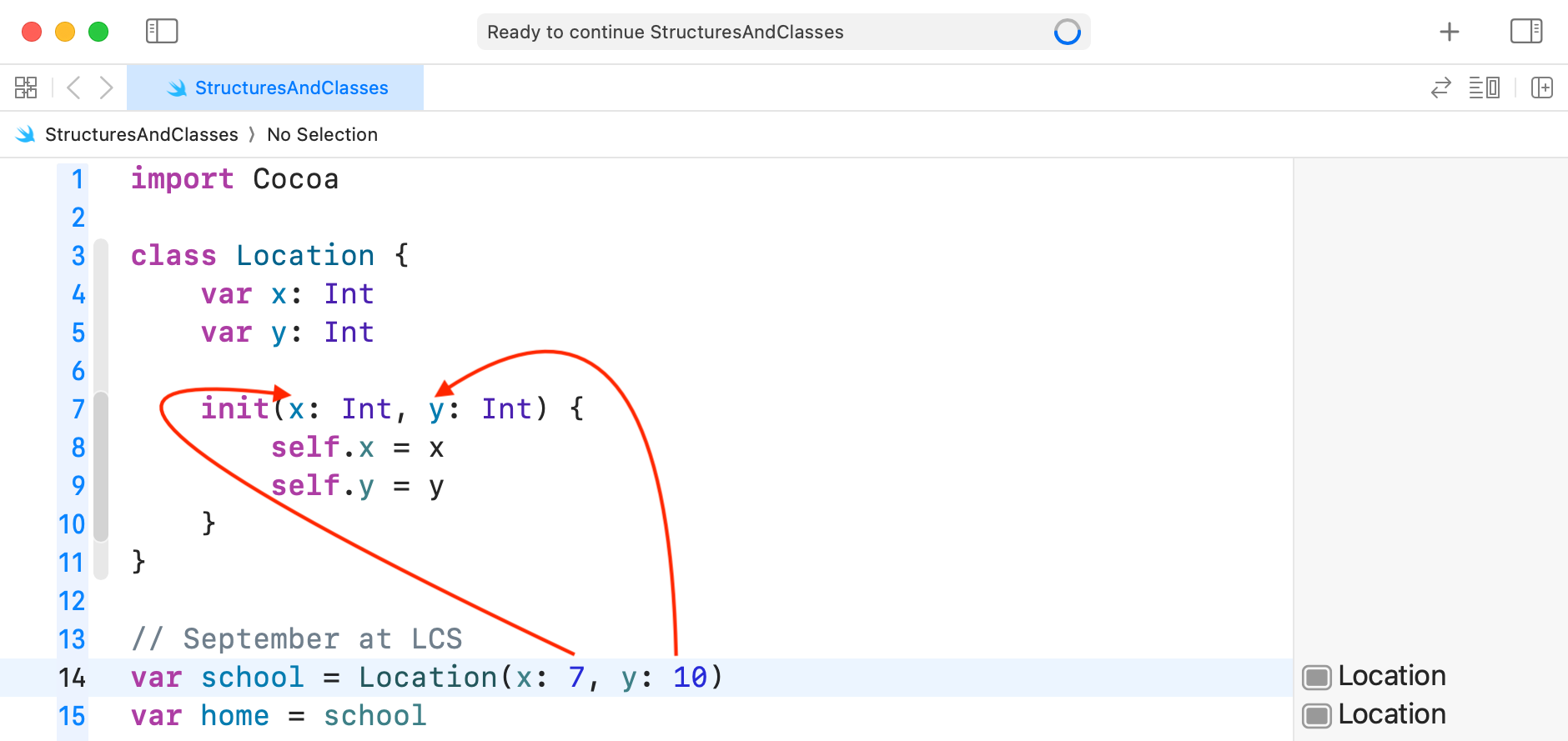
The keyword self refers to the instance of the class being initialized.
self.x refers to the stored property named x.
self.y refers to the stored property named y.
In this initializer, the values passed to the initializer are simply assigned to each stored property.
Depending on your goals as a programmer, you may sometimes add logic to an initializer to check that provided values meet certain requirements. That is not happening here.
TIP
Structures actually have initializers as well. However, the Swift compiler automatically generates an initializer for a structure. As a result we rarely have to think about initializers when using structures.
That might lead you to ask – why does Swift not just automatically generate an initializer for a class as well? The answer goes beyond the scope of this lesson – but essentially it’s because classes can be used to build upon other classes – a concept known as inheritance. If you’re curious about this, you can read a bit more about it here, in a short example, but this is not required.
Examining the results
With the conversation about initializers out of the way, please run the playground with Location defined as a class:

Again, how are those results different as compared to when Location is defined as a structure?
Try changing Location from a structure to a class and back again, and really take a close look at the results:

Summary
How closely have you been paying attention? 😅
Add the following to your notes, completing each sentence.
- A structure is a _________________ type.
- A class is a _________________ type.
- In the code example above, when
Locationis defined as a structure,homeis a __________ ofschooland occupies a ______________________ region of memory in the computer.
So, whenhomechanges,school_______ _______. - In the code example above, when
Locationis defined as a class,homeis simply a __________________ toschooland occupies the __________ region of memory in the computer.
So, whenhomechanges,school_____________________.